
FlipaClip: Draw 2D Animation
Visual Blasters LLCArt & Design
4.352.74K Reviews
- Version
- 5.1.0
- Installs
- 50.00M
- Age Rating
- Everyone
Screenshots
Our Review of FlipaClip: Draw 2D Animation
 Analysis by Appyee
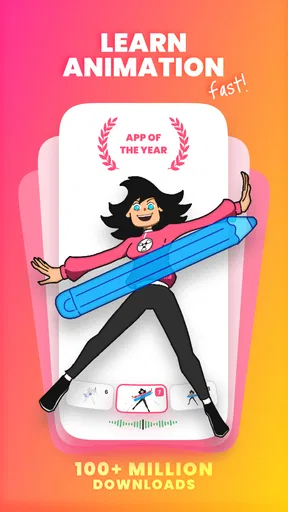
Have you ever felt the itch to create your own animations but didn't know where to start? Well, let me tell you about FlipaClip: Create 2D Animation, an app that has totally transformed my animation game. Trust me, this app is a total game-changer for anyone wanting to dive into the world of animation.
Getting Started with FlipaClip
The first thing that struck me about FlipaClip was how easy it was to get started. Whether you're a seasoned animator or just someone looking to have some fun, the app makes it super simple to dive in. You just download it from your app store, and you're off to the races!
When I first opened the app, I was greeted with a clean and intuitive interface. It doesn’t overwhelm you with options, which is perfect for beginners. You can start a new project right away, and the app guides you with a few simple tutorials to get you comfortable with the basic tools.
Tools and Features That Stand Out
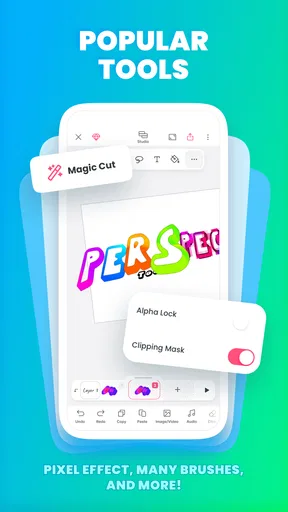
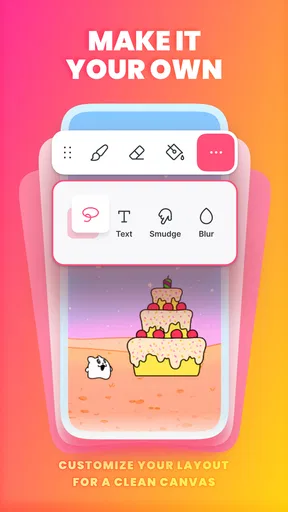
What makes FlipaClip stand out are its tools. You've got everything you need to create a full-fledged animation, right at your fingertips. The drawing tools are pretty versatile; with brushes, lasso, fill, and eraser tools, you can really let your creativity flow.
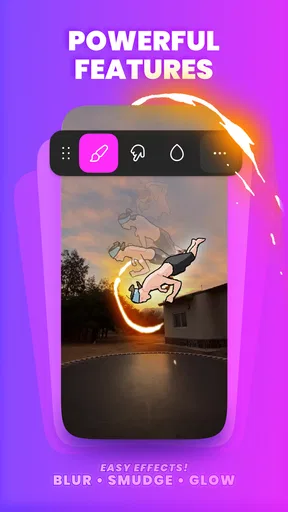
One of my favorite features is the onion skinning tool. It lets you see your previous frame overlaid on the current one, so you can ensure smooth transitions between frames. It’s like a virtual lightbox and is a lifesaver when you're trying to create fluid motion.
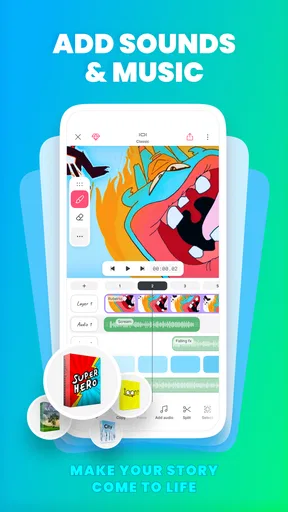
And let’s not forget the timeline. It’s super easy to use, allowing you to add layers, adjust the frame rate, and even add audio. Yes, you can sync your animations with music or sound effects, which is such a cool touch!
Animation Made Fun and Easy
Animating with FlipaClip doesn’t feel like work at all. The app brings back the nostalgia of old-school flipbook animations, but with a modern twist. You can create everything from simple sketches to complex animations. I recently worked on a short clip featuring a bouncing ball, and let me tell you, watching it come to life was pure magic.
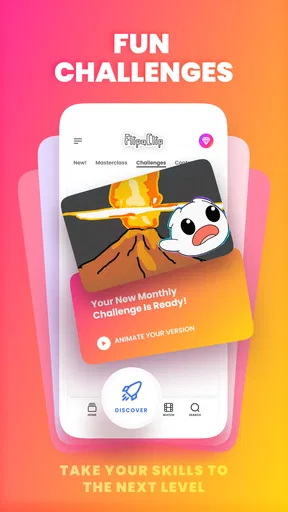
Plus, the app offers a community aspect where you can share your creations and get inspired by others. It’s motivating to see what other animators are doing, and it’s a great way to get feedback on your work.
Why You’ll Love FlipaClip
If you're an aspiring animator, FlipaClip is a fantastic place to start. It's accessible, fun, and filled with features that make animating a breeze. Even if you’re just doodling for fun or creating content for social media, this app is a must-have.
But the real beauty of FlipaClip is its ability to cater to both beginners and more advanced users. The learning curve is gentle, yet the potential for creating intricate animations is there for those who want to explore deeper.
So, are you ready to let your creative juices flow? Download FlipaClip and start animating today. Who knows, you might just discover a new passion or even the next viral animation!
Privacy and Permissions
See what permissions an app requests and how it handles your data.
- Identity
- find accounts on the device
- Contacts
- find accounts on the device
- Photos/Media/Files
- read the contents of your USB storage, modify or delete the contents of your USB storage
- Storage
- read the contents of your USB storage, modify or delete the contents of your USB storage
- Microphone
- record audio
- Wi-Fi connection information
- view Wi-Fi connections
- Other
- view network connections, full network access, run at startup, use accounts on the device, control vibration, prevent device from sleeping, Google Play license check, read Google service configuration
Verdict
Strengths of FlipaClip: Draw 2D Animation
- User-friendly interface for beginners.
- Wide range of drawing tools included.
- Supports multiple animation layers.
- Easy export options to share creations.
- Regular updates with new features.
Limitations of FlipaClip: Draw 2D Animation
- Limited audio editing capabilities.
- Free version includes ads.
- Some features require in-app purchases.
- Occasional lag with complex animations.
- Limited support for 4K resolution.
Similar Picks in This Category
View All
Canva: AI Photo & Video Editor
Canva4.8

PENUP – Drawing-sharing SNS
Samsung Electronics Co., Ltd.4.5

Crafto
Kutumb App4.6

Sketchbook
Sketchbook4.1

ibis Paint X
ibis inc.4.5

Adobe Express: AI Photo, Video
Adobe4.6
Frequently Asked Questions
What is FlipaClip: Create 2D Animation used for?
FlipaClip is a versatile app designed for creating 2D animations. It's popular among both beginners and professionals for its user-friendly interface and extensive features, which include drawing tools, layers, and a timeline feature for frame-by-frame animation. It's perfect for creating short animations, storyboards, and animated sketches.
Is FlipaClip free to use, or does it require a subscription?
FlipaClip offers a free version with basic features, allowing users to create and share animations. However, to access advanced features such as removing watermarks, using extra tools, and exporting in higher quality, users may need to purchase a subscription or make in-app purchases. There are various pricing options to fit different needs.
What platforms is FlipaClip available on?
FlipaClip is available on both Android and iOS platforms, making it accessible to a wide range of users. This cross-platform availability ensures that users can create animations on their preferred device, whether it be a smartphone or tablet, without compromising on functionality or performance.
Can beginners use FlipaClip effectively?
Yes, FlipaClip is designed with beginners in mind, featuring an intuitive interface and easy-to-use tools. It provides tutorials and tips to help new users get started with basic animations. As users become more comfortable, they can explore more advanced features to enhance their creative projects.
What file formats can I export my animations in with FlipaClip?
FlipaClip allows users to export their animations in several formats, including MP4 video and GIF, making it easy to share creations on social media or other platforms. The app also supports exporting individual frames as images, offering flexibility in how completed projects are used or shared.
